Some of our databases require a password for access. Find a complete list of e-resources and login passwords in the link below. Forgotten the password to open the password list? Come see me in the library or email me: smcnerneyoe@olatheschools.org. Click here for a video tutorial of the passwords page.
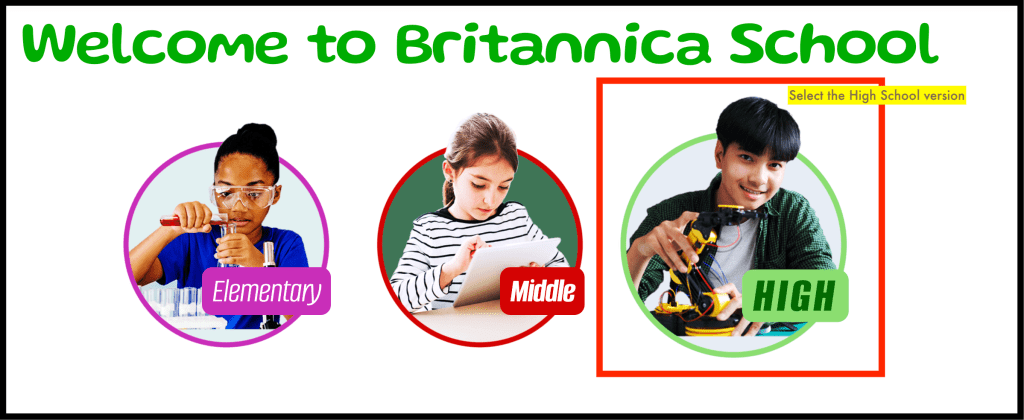
When you open the Encyclopedia Britannica School link you will first need to select the “High School” Edition.
Searching for a Topic
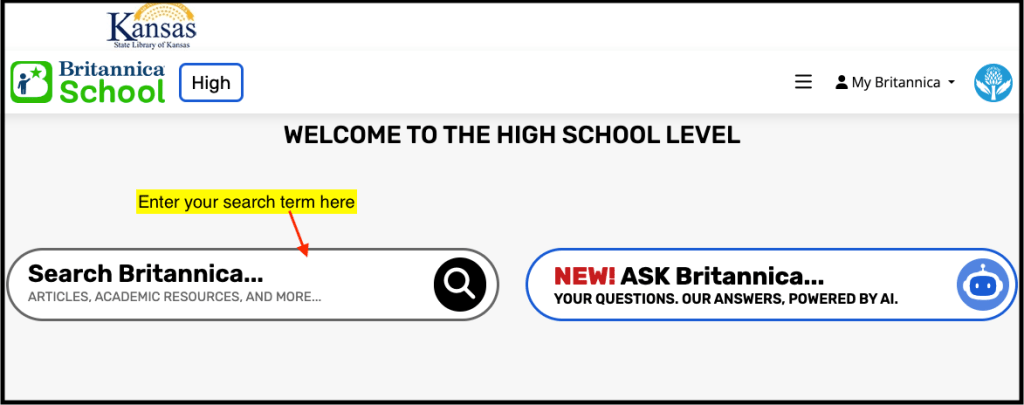
In the High School edition enter your search terms for your topic using the “Search Britannica” box:
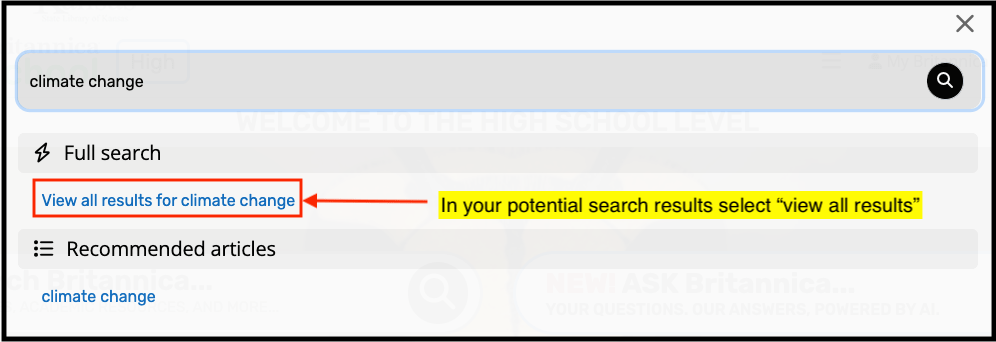
Encyclopedia Britannica will offer several suggestions for your search results. I suggest selecting “View all results for _topic_”
In the results be sure to start on the “Articles” tab.

Use the brief summaries to evaluate which results are most relevant. The best article may not always have the exact title as your search terms. For example the ways that bees help agriculture are covered in an article called “pollination.” Be sure to take a look at articles with more than just your search term as a the title!
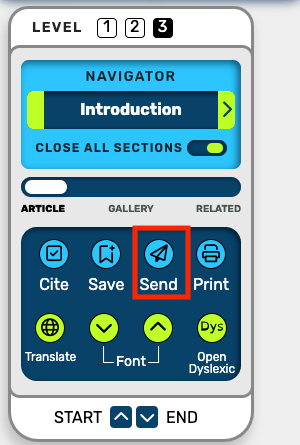
Open the article by selecting the title. Skim the article to see if it contains the type of information you need for this project. If so, BEFORE TAKING NOTES, email the article to yourself so you have it for future reference. To email simply click the blue arrow icon labeled “Send” in the left sidebar menu (see screenshot below).
Other Brittanica School tools:
Search Within Article: Quickly Find Specific Terms
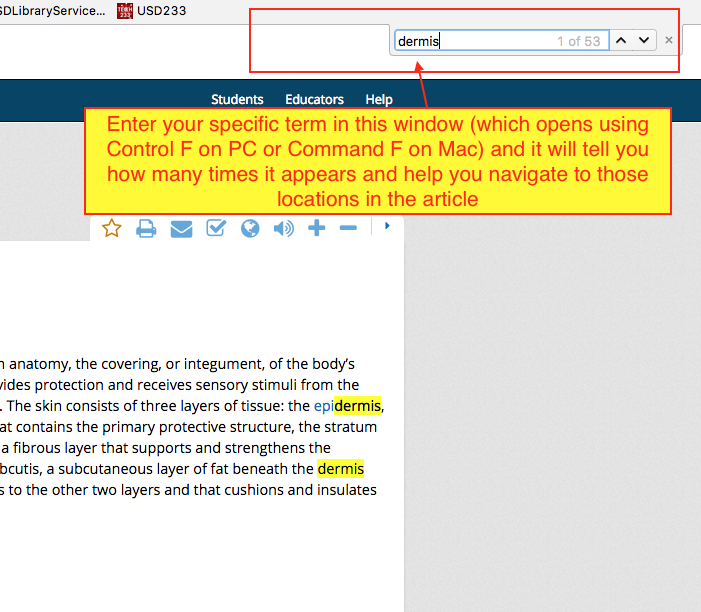
Open the article. Press keyboard keys “Control F” on a PC, or “Command F” on a Mac to open a new search window (see screenshot below) and enter your search term. If your term appears in the article it will highlight those locations and allow you to easily jump to those locations (see screenshot below)
Related Articles
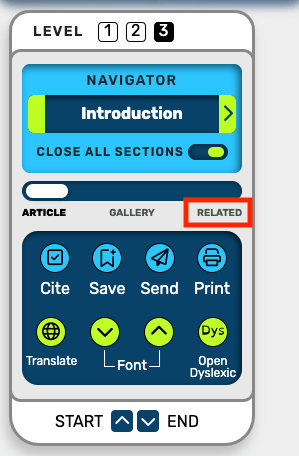
When you find a useful article it is a good idea to also click the “Related” tab in the left navigation sidebar. Often the encyclopedia will suggest articles you may not have thought to search for directly (like “beekeeping” when you are researching “bees). These articles can often help you expand your research and add details to your information.
Citation information/formatting
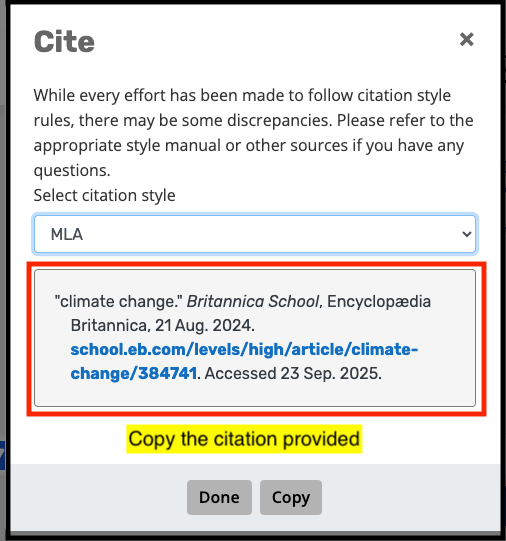
Encyclopedia Britannica will help you out by providing you with an AI generated citation. It may not always be 100% correct, but it will be a good starting point. To get that citation select “Cite” in the left sidebar navigation menu.

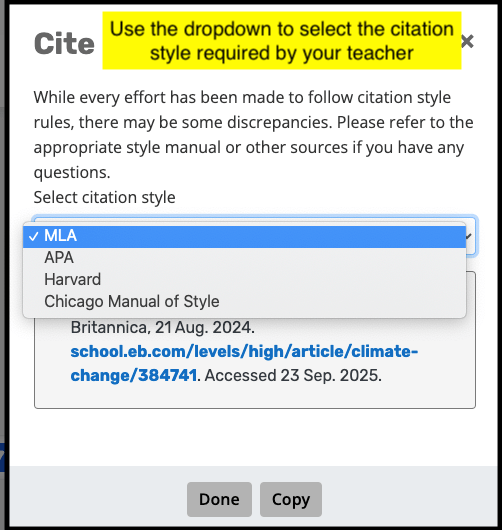
In the citation box that opens use the dropdown menu to select the citation style your teacher requires (usually your teacher will tell you MLA or APA).
Copy and paste the provided citation:
Have more questions or need more help? Visit Ms. McNerney in the library!
 Olathe East Library